Boosting Local Search with Google Maps: A Guide for Restaurants
Restaurants must have a strong online presence to attract and engage with potential customers. One of the most powerful tools for local search optimisation is Google Maps.
With its vast user base and advanced features, Google Maps can significantly boost a restaurant’s visibility and attract more customers.
This article explores the benefits of using Google Maps for restaurants and provides actionable tips to optimise your presence on the platform.
Why Google Maps Matters
- 46% of all Google searches are location-based.
- 50% of local mobile searches look for a local business address.
- 78% of mobile local searches prompt an offline purchase.
(Source: Google)
Local search optimisation can significantly impact your restaurant’s bottom line, so you’ve got to make the best use of tools like Google Maps to maximise online visibility.
Google Maps for Restaurants
The Google Maps app has evolved from a navigation tool to a powerful platform for restaurants to connect with potential customers.
By creating and optimising your restaurant’s business profile on Google Maps, you can provide accurate information about your brand, promote your dishes, boost your reputation and brand awareness, and engage with diners to drive business growth.
Restaurants can benefit from Google Maps in the following ways:
Increased Visibility
With Google being the largest search engine in the world, having a presence on Google Maps can significantly increase your restaurant’s visibility to local potential customers.
Your restaurant will show up in local search results on Google Maps, increasing your chances of attracting foot traffic and online orders.
Enhanced User Experience
Google Maps provides a seamless user experience, allowing customers to easily find your restaurant’s location, view photos, read reviews, and access essential information like opening hours and contact details; diners can also order online.
By optimising your Google Maps profile, you can make sure potential customers have a positive experience when interacting with your restaurant online.
Improved Reputation and Credibility
A restaurant’s reputation is shaped by customer reviews. With Google Maps, customers can leave reviews and ratings for your restaurant, helping to build social proof and credibility.
Engagement with customers and responding to reviews can show your commitment to excellent service.
Targeted Marketing Opportunities
Google Maps offers a range of marketing features, such as Google Posts, that allow you to promote special offers, events, and new menu items directly on your business profile.
Accessible Information for Customers
Google Maps provides essential information about your restaurant, such as wheelchair accessibility, step-free entrances, accessible restrooms, and parking options.
With accurate and detailed information, you can cater to the needs of all customers, including those with disabilities, enhancing inclusivity and ensuring a positive experience for everyone.
How Location Search Works
To optimise your presence on Google Maps effectively, it’s helpful to understand how location-based searches work.
Location-based searches on Google Maps can happen in two ways:
- Direct Location Search: Users enter the location or keywords related to your restaurant into the search bar. For example, someone might search for “Italian restaurant in Boston, MA.”
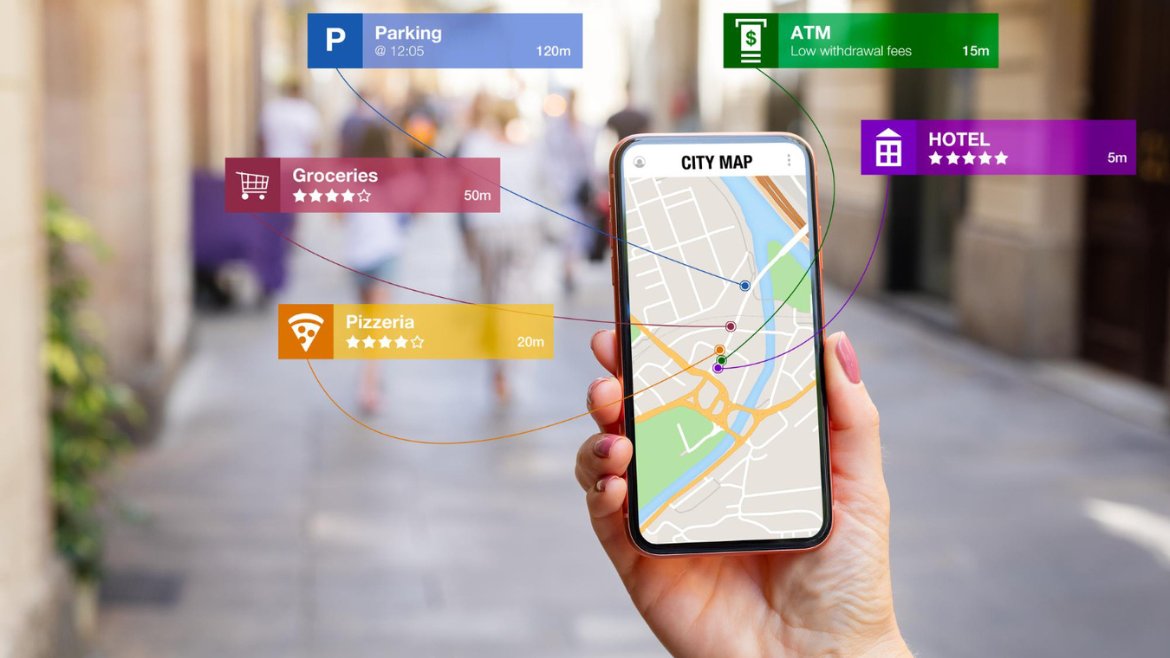
- GPS-based Search: Users’ devices provide their GPS coordinates to Google, and the search results are based on their current location. For example, someone might search for “Italian restaurant London” or “Italian restaurant near me.”
Both types of searches are vital for your restaurant’s online and foot traffic.
Optimising Your Google Maps Profile
Steps to optimise your Google Maps profile for maximum visibility and engagement.
Step 1: Create and Verify Your Google My Business Account
To start with Google Maps, you must create your restaurant’s Google My Business account. Follow these steps:
- Go to google.com/business and click on the “Start now” button.
- Sign in to your Google account or create a new one if you already have one.
- Enter your restaurant’s name, address, phone number, website (if you have one), and other required details.
- Google will send a verification code to your address or phone number. Enter the code to verify your account.
Once your account is verified, you can optimise your Google Maps profile.
Step 2: Complete Your Profile with Accurate Information
To attract potential customers, your Google Maps profile must be complete and accurate. Make sure to provide the following information:
- Restaurant name
- Address (including a map marker)
- Phone number
- Website URL
- Opening hours
- Menu details (including prices, descriptions, and dietary options)
- High-quality photos showcasing your restaurant, dishes, and ambience
Remember to keep all the information current to ensure a seamless user experience and avoid confusion for potential customers.
Step 3: Choose Your Categories and Attributes
Selecting your restaurant’s correct categories and attributes is essential for accurate search results. Choose categories that align with your offerings, such as “Italian restaurant” or “fine dining,” to ensure your restaurant appears in relevant searches.
Take advantage of attributes that highlight specific features of your restaurant, such as wheelchair accessibility, outdoor seating, or pet-friendly options. Attributes provide valuable information to potential customers and can help you stand out from the competition.
Step 4: Adopt a Visual First Approach
High-quality visuals are an effective way to showcase your restaurant and entice potential customers.
Add high-quality photos and videos that promote your cuisine, interior decor, and unique ambience. Follow Google’s recommended image and video specifications guidelines to ensure optimal display quality. A Foodservice Marketing Audit can help identify how to optimise your visuals and messaging for maximum impact.
Consider adding photos of your signature dishes, your chef in action, and your restaurant’s unique features, location and happy team. It’s worth investing in professional photography for your listing.
Step 5: Monitor and Respond to Reviews
Restaurants’ reputations are built on customer reviews. Check your Google Maps profile regularly and respond to positive and negative reviews. Communicating with customers shows that you care about their feedback.
Enhance your credibility and reputation by asking satisfied customers to leave reviews. Address negative reviews promptly and professionally, demonstrating your commitment to customer care.
Step 6: Post Promotions and Updates
Google Posts lets you share promotions, events, and updates directly on your Google Maps profile. You can use this feature to promote your latest menu items, special offers, discounts, or upcoming events. Keep your posts concise, engaging, and visually appealing to grab the attention of potential customers. Follow a Quality Content Checklist to ensure your Google Posts and other promotional content meet high standards.
Step 7: Engage with Customers via Messages and Q&A
You can communicate with potential customers directly through Google Maps’ messaging and Q&A features. Respond promptly to messages and inquiries to provide helpful information and build a positive impression of your restaurant.
Monitor the Q&A section on your Google Maps profile and address any questions or concerns that potential customers may have. Clear and prompt communication fosters trust and encourages customers to choose your restaurant over competitors.
Step 8: Monitor Insights and Analytics
Google Maps provides insights and analytics that offer valuable data about your profile’s performance. Monitor metrics such as views, clicks, and user engagement to assess the effectiveness of your optimisation efforts.
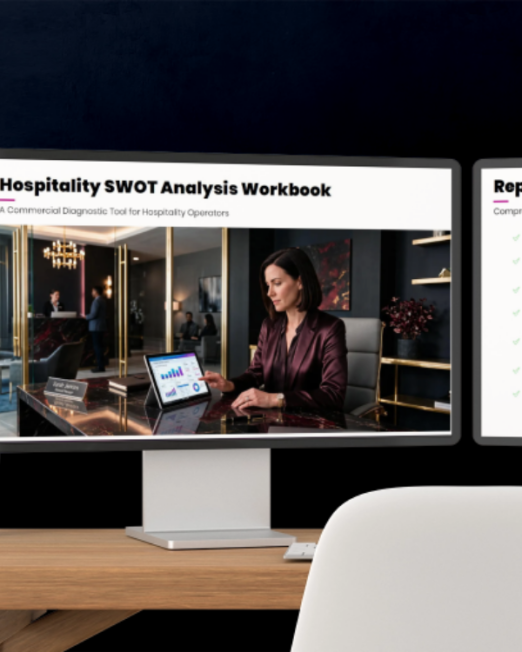
Use the insights to identify trends, understand customer behaviour, and make data-driven decisions to further optimise your Google Maps profile. A Hospitality SWOT Analysis can help you evaluate your strengths, weaknesses, opportunities, and threats for a more comprehensive strategy.
New Google Maps Features
New Visual First Search Layout on Google Maps
To enhance the user experience and spark imagination, Google has introduced a new search results interface on Google Maps. This “photo-first” layout prioritises photos and videos associated with business profile listings, providing users with visual inspiration and information.
When users search for restaurants or other businesses, they will see photos prominently displayed above other listing details like the company name, star reviews, address, and phone number.
With this new layout, restaurants must ensure their Google Maps profiles have high-quality visuals to engage users and entice them to choose their establishment.
Wheelchair-Friendly Update
Every restaurant needs to think about inclusivity and accessibility.
Google Maps now lets you request stair-free walking routes, benefiting not only wheelchair users but also individuals with strollers or heavy luggage.
If you have the wheelchair-accessible option enabled in your transit preferences, Google Maps will also automatically apply this to walking routes.
Users can access stair-free directions by tapping the three dots at the top of the screen and enabling the “wheelchair-accessible” option when requesting a walking route.
This 2023 update ensures disabled individuals can easily find and choose wheelchair-friendly establishments, promoting inclusivity and equal access to services.
Managing Google Maps
The key to a successful Google Maps presence is to manage customer interactions and provide exceptional service.
Here are some key aspects to consider when managing your restaurant’s Google Maps profile:
Responding to Reviews
Your restaurant’s reputation is shaped by customer reviews. Monitor and respond to reviews promptly, whether they are positive or negative. Express gratitude for positive reviews and address any concerns or issues from negative reviews. Conducting a Customer Experience Audit can help identify gaps in your review management strategy and ensure you’re building a positive reputation.
Professionally responding to customer feedback shows that you care about your diners.
Handling Messages and Enquiries
Google Maps allows users to send direct messages to businesses through their profiles. Monitor your messages regularly and respond promptly to enquiries and requests for information. Provide helpful and accurate answers to assist potential customers and encourage them to choose your restaurant.
Consider setting up automated responses for frequently asked questions to streamline the customer service process and ensure timely replies. Personalise your messages to create a positive and engaging experience for customers.
Google Maps as a Customer Service Tool
Google Maps can serve as a valuable customer service tool, enabling customers to ask questions and seek information about your restaurant. Monitor the Q&A section on your profile and address inquiries promptly and thoroughly.
Regularly check for new questions and update your answers to ensure the most up-to-date information is available to potential customers.
Google Maps FAQs
How can I create a Google My Business account for my restaurant?
To create a Google My Business account, visit google.com/business and click the “Start now” button. Follow the prompts to provide your restaurant’s information and verify your account.
What information should I include in my Google Maps profile?
Ensure that your profile includes accurate details such as your restaurant’s name, address, phone number, website URL, opening hours, menu items, and high-quality photos showcasing your restaurant’s ambience and cuisine.
How can I optimise my Google Maps profile for better visibility?
Optimise your Google Maps profile by selecting relevant categories and attributes, adding high-quality photos and videos, regularly updating your Google Posts, monitoring and responding to reviews, and engaging with customers through messages and Q&A.
Can I make my restaurant more accessible on Google Maps?
Yes, you can make your restaurant more accessible by providing accurate information about wheelchair accessibility, step-free entrances, accessible restrooms, and parking options. Enable the wheelchair-accessible option for walking routes and ensure your establishment is marked as wheelchair-friendly.
How can I effectively manage customer interactions on Google Maps?
To effectively manage customer interactions, respond to reviews promptly and professionally, handle messages and enquiries in a timely manner, and utilise the Q&A section to address customer concerns. Use Google Maps as a customer service tool by providing accurate and helpful information.
Google Maps Checklist
Here’s a checklist to ensure your restaurant’s Google Maps profile is optimised for maximum visibility and engagement:
- Create and verify your Google My Business account.
- Provide accurate and complete information in your profile
- Choose relevant categories and attributes
- Add high-quality photos and videos
- Monitor and respond to customer reviews
- Utilise Google Posts for promotions and updates
- Engage with customers through messages and Q&A
- Monitor insights and analytics to refine your strategies – A Digital Marketing Audit can provide actionable insights into your Google Maps performance and overall online presence.
- Take advantage of the photo-first search layout
- Ensure wheelchair accessibility information is accurate
- Respond promptly and professionally to customer interactions
- Make use of Google Maps as a customer service tool
Take-Aways
Google Maps is an indispensable tool for restaurants. By optimising your presence on the platform, you can enhance your visibility, engage with potential customers, and build a positive reputation.
Embrace the visual-first approach and accessibility updates and actively manage customer interactions to create a memorable and compelling experience for potential customers.
With the right messaging, promotional strategies, and a commitment to excellence, you can position your restaurant as a top choice in local search results, attract a loyal customer base, and drive business growth.